SIM Cards, eSIM and Wi-Fi in Niseko
This article contains ads (affiliate links). If you book or buy through these links, COTARU, the operator of this site, may receive a commission.
This guide is for anyone who wants to use their phone in Niseko in winter for maps, translation, bus times and keeping in touch. The short answer: eSIM or a SIM card if it's just you and your phone, pocket Wi-Fi if you're sharing with family or a laptop, and free Wi-Fi in town on top. On the mountain, it also pays not to rely on signal. Prices change by company and season, so this guide is about how to compare, not prices.
Key points
- eSIM or SIM if it's just you and your phone; pocket Wi-Fi to share with family or a laptop
- To use a Japanese SIM or eSIM, your phone must be unlocked
- Free Niseko Tourism WiFi works at shops and cafés around town
- Don't rely on signal on the mountain or off-piste. Charge fully and carry a power bank
The Short Answer: Choose by How You'll Use It
| Option | Best for | How to get it | Watch out for |
|---|---|---|---|
| Roaming on your home plan | People who don't want to change settings, short trips | Sign up with your home carrier | Fees and data allowances differ by carrier and plan |
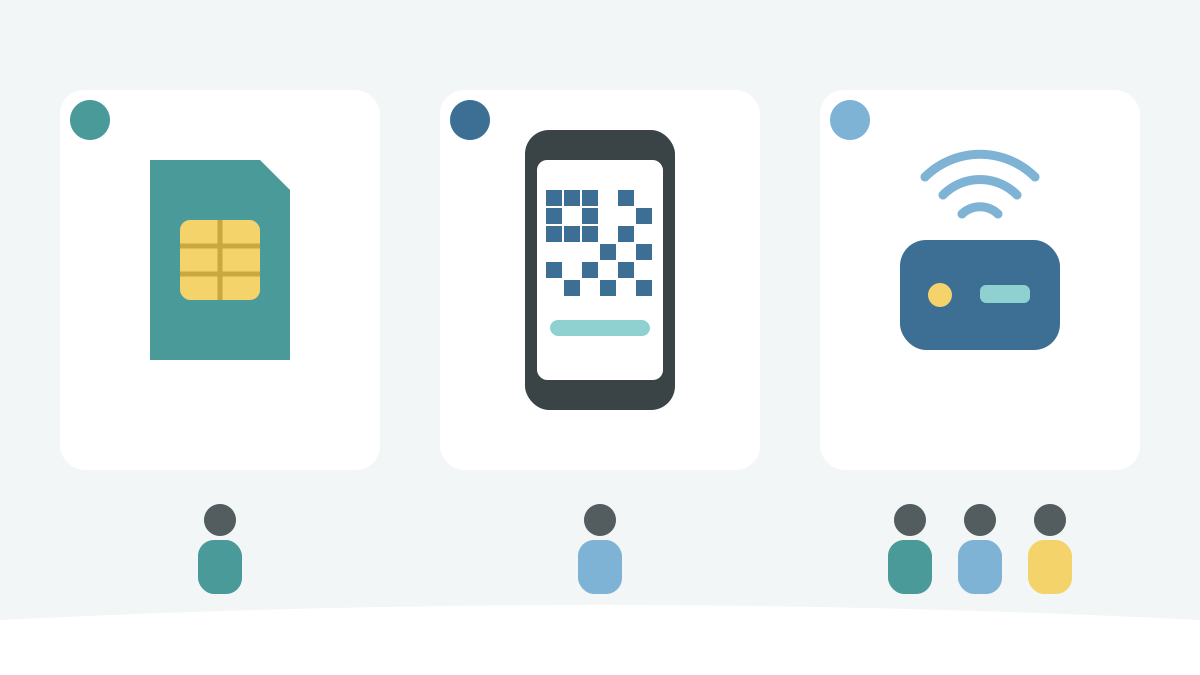
| RecommendedeSIM | One person using a phone only | Buy online and set up with a QR code or app | Phone must support eSIM and be unlocked |
| SIM card | Phones that don't support eSIM | Airport vending machines, electronics stores, etc. | Phone must be unlocked. Don't lose your original SIM |
| Pocket Wi-Fi | Families, groups, laptop users | Rent at the airport or have it delivered to your hotel | Others lose connection when away from whoever carries it. Check how to return it |
| Free Wi-Fi | Topping up at your hotel or in town | Hotels, shops and cafés in town, airports | Not available on the mountain or on the move. Don't rely on it alone |
If you're unsure, start by checking whether your phone is unlocked. If it's locked, neither a Japanese eSIM nor a SIM card will work.
eSIM and SIM Cards: Check Your Phone Is Unlocked
According to the Japan National Tourism Organization (JNTO), your phone must be unlocked to use a SIM card in Japan. SIM cards are sold at major airports and electronics stores.
An eSIM puts a mobile plan inside your phone without swapping cards. According to Apple, to use another carrier's eSIM your iPhone must not be locked to a carrier; check Settings > General > About for "No SIM restrictions" next to Carrier Lock. Travel eSIMs can be bought online before you leave or after you arrive, and are set up with a QR code or the carrier's app. Your phone needs to be on Wi-Fi during setup, so it's easiest to do it at home or on airport Wi-Fi.
What to compare when choosing an eSIM or SIM:
| Compare | What to look at |
|---|---|
| Data | Just maps, translation and social media, or video and video calls too? |
| Days | Does it match your stay? Can you top up if you run out? |
| Phone number | Does the plan include a phone number, or is it data only? |
| Tethering | Can you share it with a laptop or other people's phones? |
| Network | Which carrier's network does it use? (This affects signal on the mountain) |
| Language | Is there English (or your language) setup help and support? |
If you want to keep your home number, a phone that supports two lines can use the travel eSIM for data and your home number for calls and texts. Roaming fees may still apply on your home line, so check your carrier's rules.
This image was generated by AI for illustrative purposes.
Pocket Wi-Fi: For Sharing with Family or a Laptop
A pocket Wi-Fi is a small portable Wi-Fi device. According to JNTO, you can rent one at kiosks at major airports or reserve online and have it delivered to your hotel. One device can connect several people and a laptop, which suits families and groups.
The catch: when you're away from whoever carries the device, you lose connection. If your family skis separately, an eSIM for each person may be safer. Before renting, check how to return it (airport counter, post, etc.) and whether the battery lasts a full day.
Getting Set Up at New Chitose Airport
If you want to sort it out at the airport, New Chitose Airport's official information says Wi-Fi router rental and prepaid SIM vending machines are on Domestic 1F and International 2F, and free Wi-Fi works in almost all areas of the airport. For connecting to the airport's free Wi-Fi, see New Chitose Airport Wi-Fi, charging, ATMs and exchange, and for what to do after you land, see New Chitose Airport guide for foreign visitors. For getting from the airport to Niseko, see New Chitose Airport to Niseko.
It's a long trip from the airport to Niseko, so make sure you're connected before you leave the airport. Then you can contact your accommodation and check maps on the way.
Wi-Fi in Niseko Town and at Your Accommodation
In Niseko, the free Niseko Tourism WiFi network covers the area and works at many shops and cafés. Select the network on your phone or laptop and log in with a Facebook or Google account (according to Niseko Tourism).
To connect to free Wi-Fi across Japan, JNTO also introduces the Japan Wi-Fi auto-connect app. It's free; once you sign up, it connects automatically at airports, stations, convenience stores, cafés and more, and only to hotspots from secure, trusted providers. It's available in 16 languages, including English.
As for accommodation, JNTO notes that most major city hotels have Wi-Fi, but ryokan and minshuku in mountain and rural areas often don't. Check when booking whether there's Wi-Fi and whether it works in your room. If you have video calls for work, ask about the speed too (long-stay visitors can also read Long Stays and Remote Work in Niseko).
When entering card numbers or passwords, your own SIM, eSIM or pocket Wi-Fi is a calmer choice than an unfamiliar free network.
On the Mountain and Off-Piste: Don't Rely on Signal
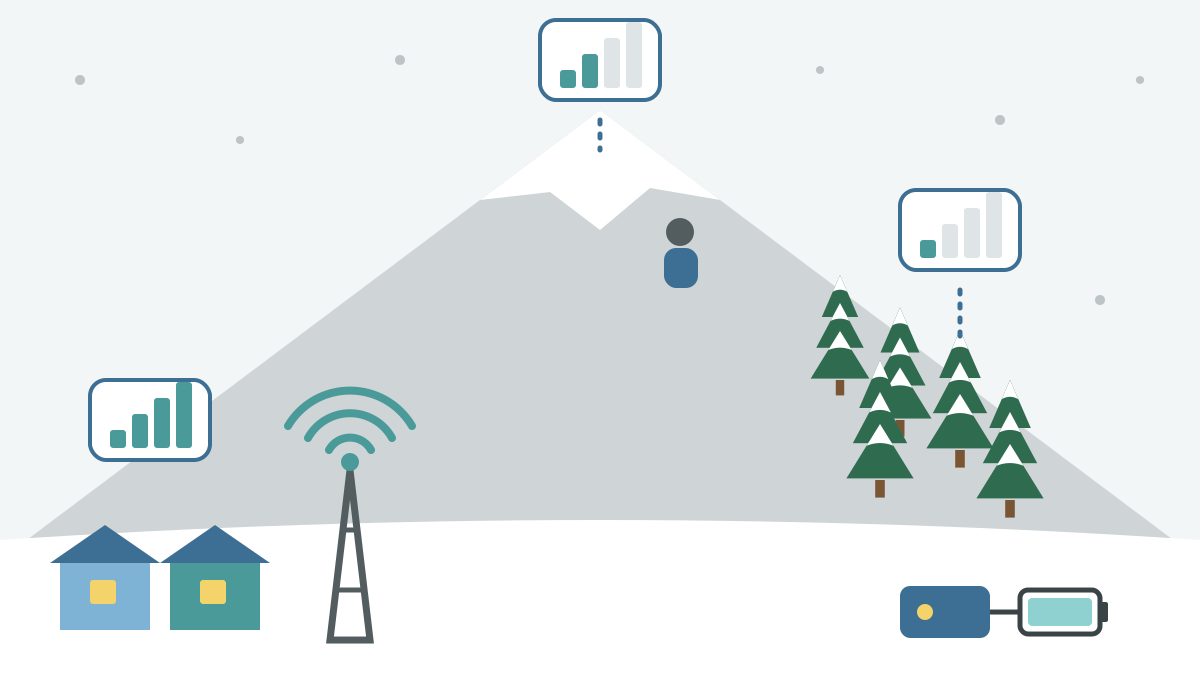
How well your phone works at the top of the resort or off-piste depends on your carrier and where you are. Mobile carriers publish coverage (service area) maps on their official sites (docomo, for example, also has information on coverage along mountain trails). When choosing an eSIM or SIM, see which carrier's network it uses and check that carrier's map. A pocket Wi-Fi also connects over the mobile network, so it's just as weak where signal is weak.
Hokkaido Police advise backcountry skiers and snowboarders to carry a mobile phone for emergencies, charge it fully before setting out, and carry a power bank.
Before going beyond the boundary, be sure to read The Niseko Rules (gates, helmets, beacons and more). Don't act on the assumption that your phone will connect.
This image was generated by AI for illustrative purposes.
Map
FAQ
Does eSIM work on any phone?
Your phone must support eSIM and must not be locked to a carrier. On an iPhone, go to Settings > General > About and look for "No SIM restrictions" next to Carrier Lock.
Is there free Wi-Fi in Niseko?
Yes. The free Niseko Tourism WiFi network covers the Niseko area and works at many shops and cafés. You can log in with a Facebook or Google account.
Where can I rent a pocket Wi-Fi?
At New Chitose Airport, Wi-Fi router rental is on Domestic 1F and International 2F. You can also reserve online and have one delivered to your hotel. Return methods differ by company, so check when you rent.
Will my phone work at the top of the ski resort?
It depends on where you are. Mobile carriers publish coverage maps on their official sites, so check the map for the network you'll use. On the mountain, don't rely on signal: charge your phone fully and carry a power bank.
Can I just use my phone from home?
You may be able to use international roaming with your home carrier. Fees and data allowances differ by carrier and plan, so check with your carrier before you leave.
Summary
In Niseko, use an eSIM or SIM if it's just you and your phone, a pocket Wi-Fi if you're sharing with family or a laptop, and top up with the free Niseko Tourism WiFi in town. A Japanese SIM or eSIM needs an unlocked phone, so check before you leave. On the mountain, don't rely on signal: charge fully and carry a power bank.